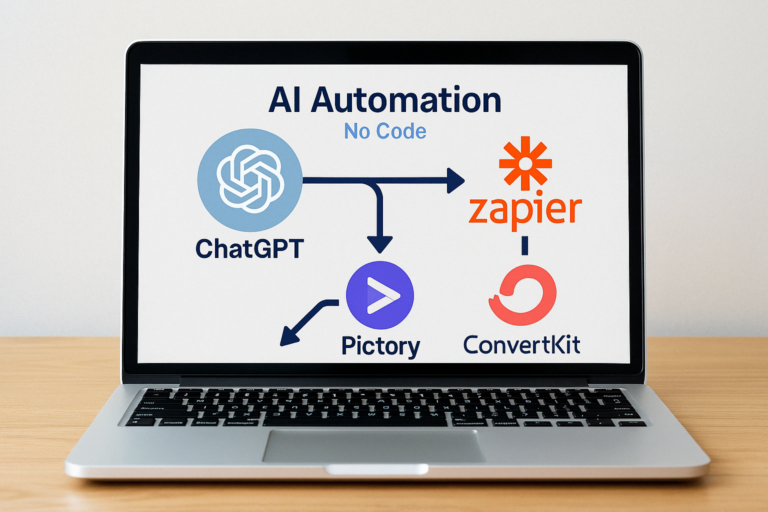
How I Built My Website in 1 Weekend Using an AI Website Builder (No Code)
💬 From Idea to Launch: My 48-Hour AI Blog Build
Thinking about how to build a website with AI, but stuck in setup mode? I was too until I discovered a beginner-friendly AI website builder that helped me launch a clean, functional site in just one weekend — with zero coding.
In this post, I’ll walk you through exactly how I did it:
✅ The tools I used
✅ How I automated 80% of the process
✅ What I’d do differently next time
✅ And how to do it yourself using a no code website builder with AI
🤖 What Is an AI Website Builder?
An AI website builder is a tool that helps you automatically create and launch a blog or business site — no code required. It handles the layout, copywriting, mobile responsiveness, even SEO basics.
Perfect for:
- Bloggers
- Creators
- Side hustlers
- Freelancers
With AI tools, you can go from blank page to published blog in hours, not weeks.
- Layout & page structure (home, blog, contact, etc.)
- Mobile-friendly design
- Copywriting suggestions
- Starter SEO
- Lead capture integrations
Popular tools in this space include:
- Kadence WP (my choice — great for WordPress)
- 10Web.io (AI-powered WordPress builder)
- Durable AI (great for ultra-fast “1-click” websites)
- Framer AI (more for design-first sites)
⚙️ Tools I Used to Create a WordPress Site with AI
Here’s my full tech stack for building this blog fast:
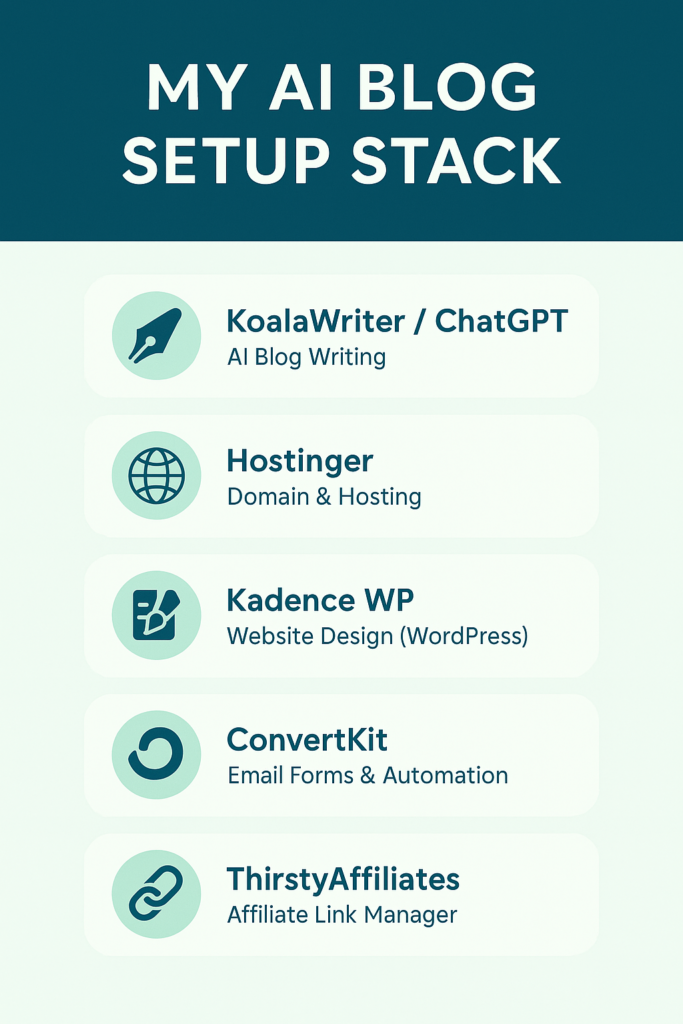
🌐 Hostinger
If you’re starting your first blog or website, Hostinger is a great all-in-one solution. It’s beginner-friendly, super affordable, and gives you everything you need to launch — including a free domain, SSL, and one-click WordPress installation.
- Affordable hosting
- Free SSL + domain
- 1-click WordPress setup
- Blazing fast load speeds
If you’re new to WordPress, their official Getting Started Guide is a great guide that I used to help me get up a running!
🧱 Kadence WP + WordPress
I used the Kadence starter templates to get a homepage, blog archive, and contact page in one click.
✅ SEO-optimized
✅ Fast loading
✅ Great for content creators
💡 This combo (Hostinger + Kadence) is still my go-to stack for AI blog builds.
For example, Kadence themes are built for speed and user experience — two key factors in Google’s Core Web Vitals ranking system.”
✍️ ChatGPT + KoalaWriter
I used these AI tools to:
- Write homepage copy
- Draft my About page
- Outline early blog posts
- Create my CTA and lead magnet text
This alone saved me 6–8 hours of copywriting.
🚀 Want to build your AI-powered blog in one weekend too?
👉 Download the Free 7-Day AI Blog Launch Guide and follow the exact system I used to go live — with zero tech overwhelm.
✅ Tools, templates, and a complete automation plan — all in one guide 👇.
💌 ConvertKit
For lead capture forms and email automation.
I also used it to deliver a free lead magnet, with all the copy written in ChatGPT.
ConvertKit is a trusted platform used m it seems like many creators — see how their email automations work here
🔗 ThirstyAffiliates
To manage, track, and cloak affiliate links. This keeps my blog clean and monetized from day one.
🚀 Step-by-Step: How I Built My AI Website 🧠 My Step-by-Step AI Blog Setup in a Weekend
✅ Step 1: Domain & Hosting (30 mins)
Bought domain + hosting from Hostinger, installed WordPress with 1 click.
✅ Step 2: Install Kadence Theme (1 hour)
Selected a Kadence starter site and customized the homepage, blog, and contact pages.
✅ Step 3: Write Core Pages with AI (2–3 hours)
Used KoalaWriter + ChatGPT for homepage, about page, and early blog content.
✅ Step 4: Install Key Plugins (30 mins)
- Rank Math for SEO
- ConvertKit for email forms
- ThirstyAffiliates for link management
- (Optional) WP Rocket for speed
✅ Step 5: Launch
Quick mobile test → go live!
⏱️ Total build time: ~6 hours spread across 2 days
🤖 What I Automated with AI Website Builders
- Homepage and About copy
- Blog post outlines + intros
- SEO keywords with KoalaWriter
- Affiliate call-to-actions
- Email welcome sequence with ConvertKit
❌ What I’d Do Differently
- Launch my Resources page earlier — missed some early affiliate traffic
- Set up ConvertKit funnel before publishing my first post
- Add custom visuals earlier — I leaned too hard on AI art at first
🧰 Best AI Website Builders for Beginners (Quick Recap)
| Tool | Best For |
|---|---|
| Hostinger | Domains + fast, affordable hosting |
| Kadence WP | SEO-friendly WordPress websites |
| KoalaWriter | Fast AI blog writing with great structure |
| ConvertKit | Lead capture & email marketing automation |
| 10Web.io | Fully AI-built WordPress sites |
| Durable.co | 1-click AI websites for side hustlers |
⚡ Tip: For a broader comparison, check out this AI website builder roundup on TechRadar.
🎯 Final Thoughts: Build Fast, Grow Smart
You don’t need to hire a developer or code from scratch. With the right AI website builder, you can launch a professional-looking, revenue-ready blog in a weekend.
Start simple. Use AI to automate the heavy lifting. Then refine as you grow.
If you’ve been stuck in “setup mode,” don’t overthink it. With an AI website builder, publish your first page, and improve as you go.
🎁 Want My Full AI Blog Launch System?
👉 Get the free 7-Day Blog Launch Guide. Your free checklist includes:
✅ AI blog tools
✅ Templates
✅ Email funnel setup
✅ Monetization roadmapLaunch smarter — even if you’re starting from scratch.
🤖 AI Website Builder FAQs
❓What is the best AI website builder for beginners?
If you’re just starting out, the best AI website builder for beginners is the combo I used: Hostinger + Kadence WP. It’s fast, beginner-friendly, and gives you full control. Other options like Durable.co and 10Web.io are great for one-click setup and minimal customization.
❓How much does an AI website builder cost?
Most AI website builders offer either free plans or low-cost options:
- Hostinger: Starts around $3/month with a free domain and SSL.
- Durable and 10Web: Start at $12–$20/month, depending on features.
Some platforms also offer lifetime deals or trials, making it easy to launch on a budget.
❓Can I use an AI website builder with WordPress?
Yes! There are several AI website builder tools designed specifically for WordPress users. I used Kadence WP, which includes pre-built templates that are SEO-friendly and fast. If you want full WordPress control with AI speed, this is your best route.
❓What tools help automate the website building process?
Here’s what powered my 48-hour site launch:
- 🧠 KoalaWriter + ChatGPT — for blog content and homepage copy
- 🌐 Hostinger — for fast hosting and 1-click WordPress install
- 🎨 Kadence WP — for drag-and-drop design
- 💌 ConvertKit — for lead capture and automation
- 🔗 ThirstyAffiliates — for affiliate link tracking
This stack turned a blank canvas into a fully working AI-powered website — in a weekend.
❓Are there any free AI website builder tools?
Yes. Platforms like Durable AI offer free starter plans — great if you want to test-drive an AI website builder without commitment. But for long-term growth, I recommend starting with a tool like Hostinger that gives you full control and monetization features.
❓Can I really launch a blog in one weekend using AI?
Yes — that’s exactly what I did. Using an AI website builder plus tools like KoalaWriter and ConvertKit, I automated most of the copy, setup, and design. My blog was live in under 48 hours, and I now use the same system to launch other projects fast.
About the Author
Chris @ AVYX AI is a former digital exec turned online entrepreneur. He helps beginners build passive income streams using AI tools — without tech overwhelm. At AVYX AI, he shares step-by-step systems anyone can use to Create → Automate → Profit. Learn more about Chris or grab the free guide to launch your first income stream.